 NotedLinks
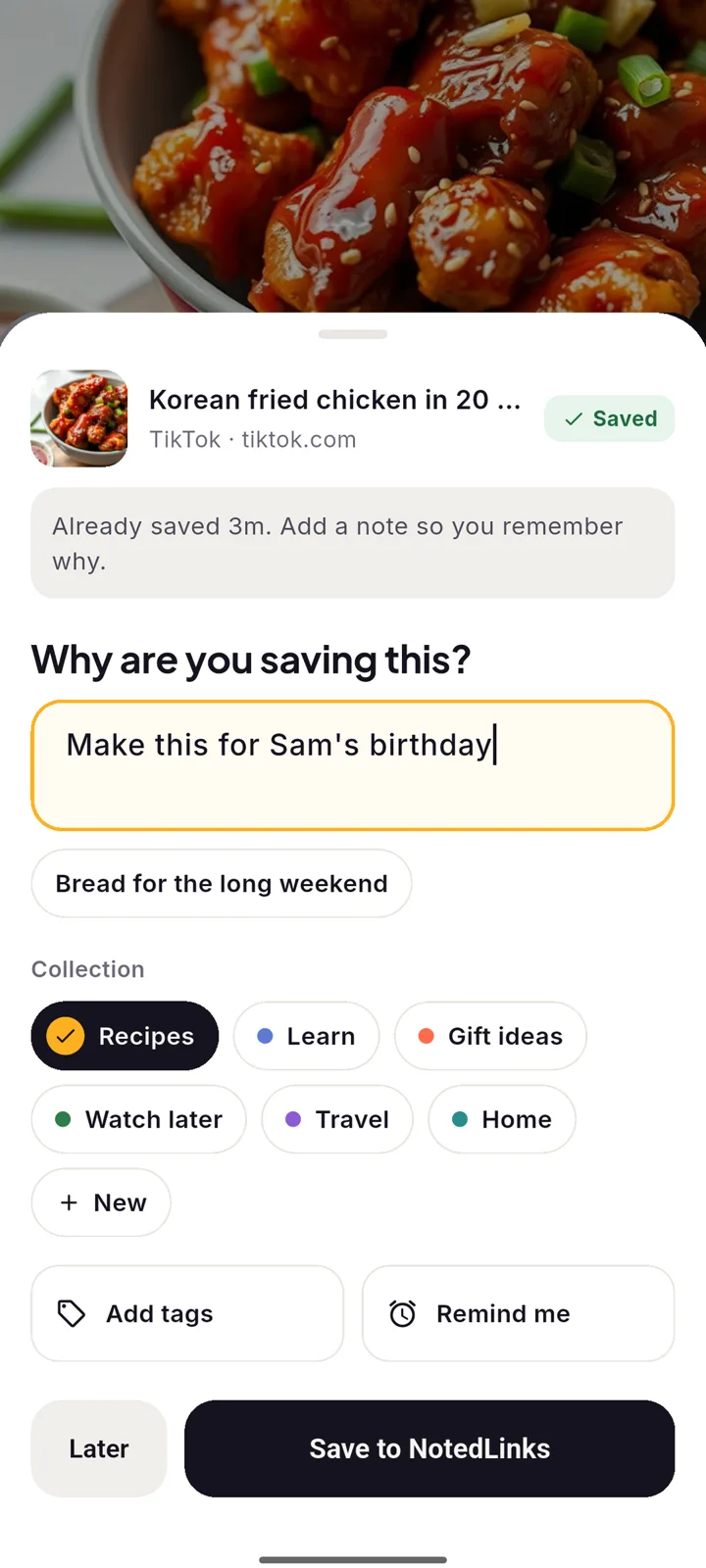
Why are you saving this?
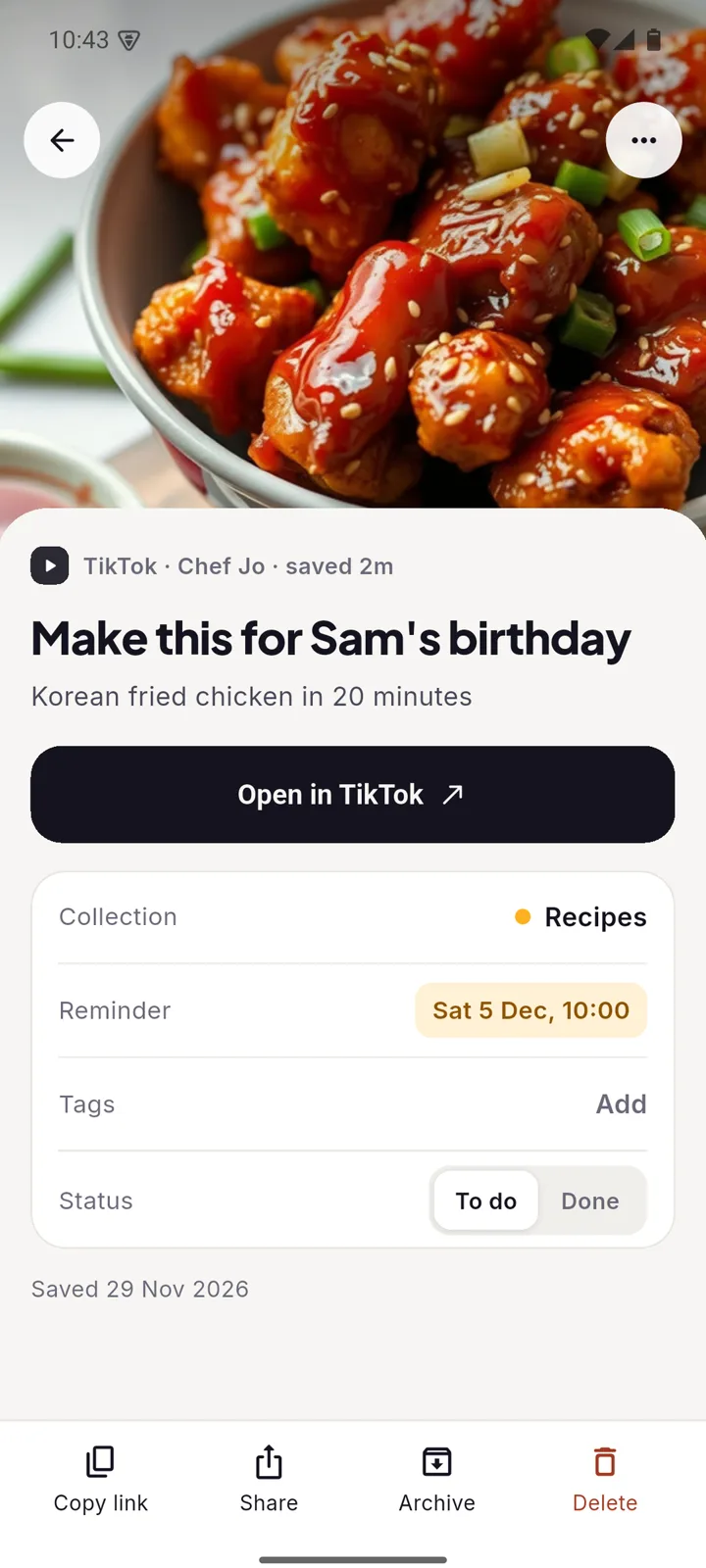
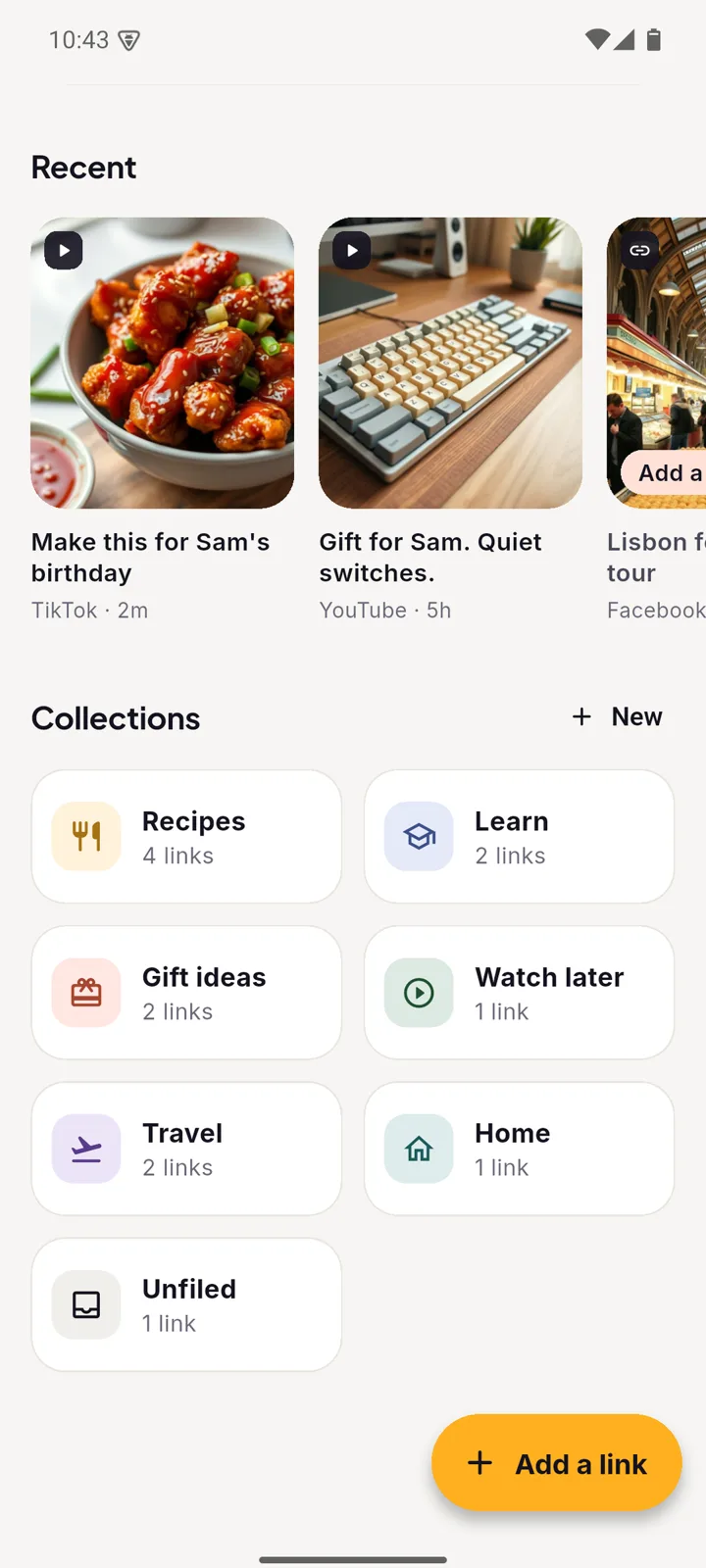
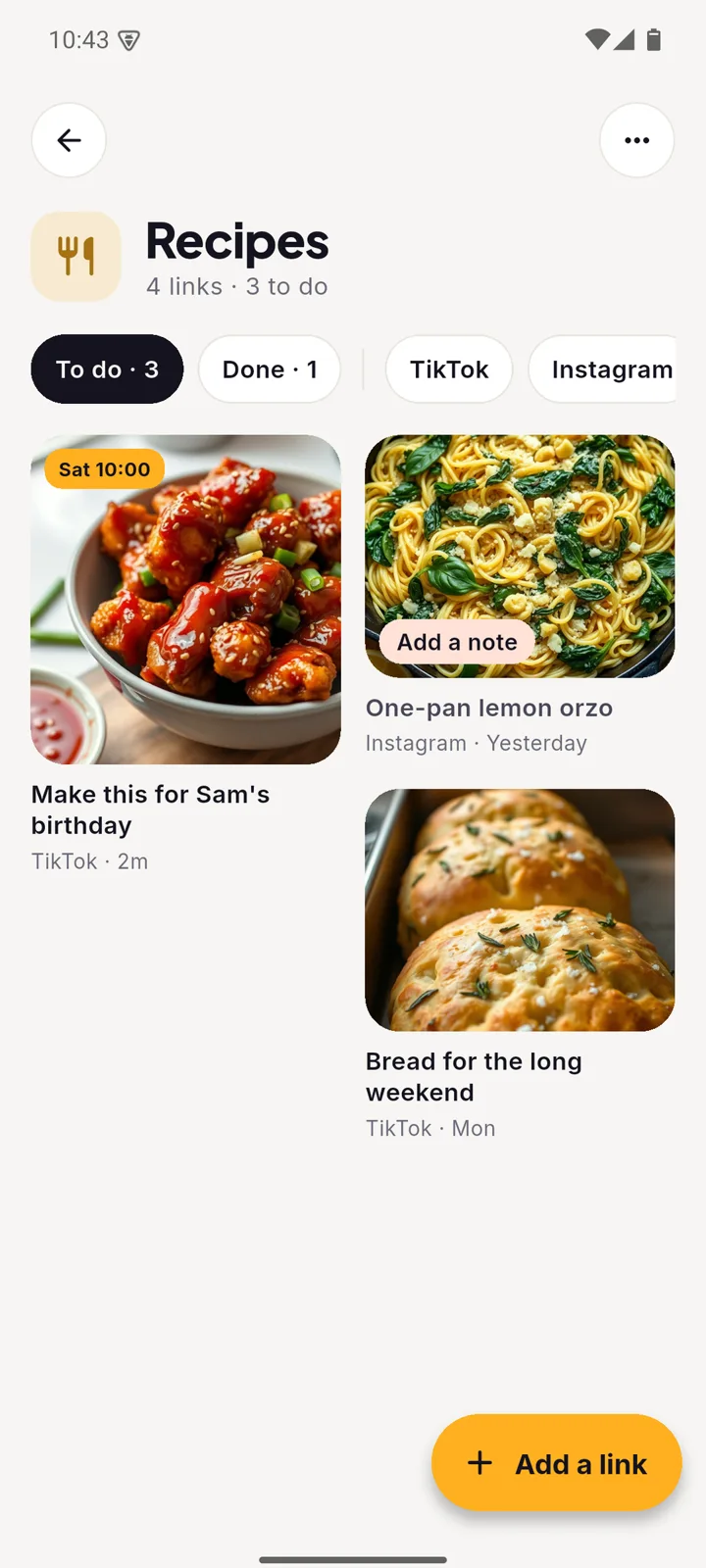
Make this for Sam's birthday
NotedLinks asks the one question every saved link needs. Share from any app, write a few words, and the reason stays with the link.
No account, no ads, nothing to set up.
See it in thirty seconds.
Share a recipe from TikTok, say who it's for, and get a reminder on the day you need it.
Save it in the moment. Find it when it matters.
Works with YouTube, TikTok, Instagram, Reddit, X, your browser and any app with a Share button.
-
Tap Share
Choose NotedLinks from the share menu. A small sheet opens over the app you're using, and the link is saved straight away.
-
Say what it's for
“Gift for Mum, under $50.” “Watch before Monday's meeting.” Pick a collection, set a reminder if you like, and you're back where you were.
-
Find it by what you wrote
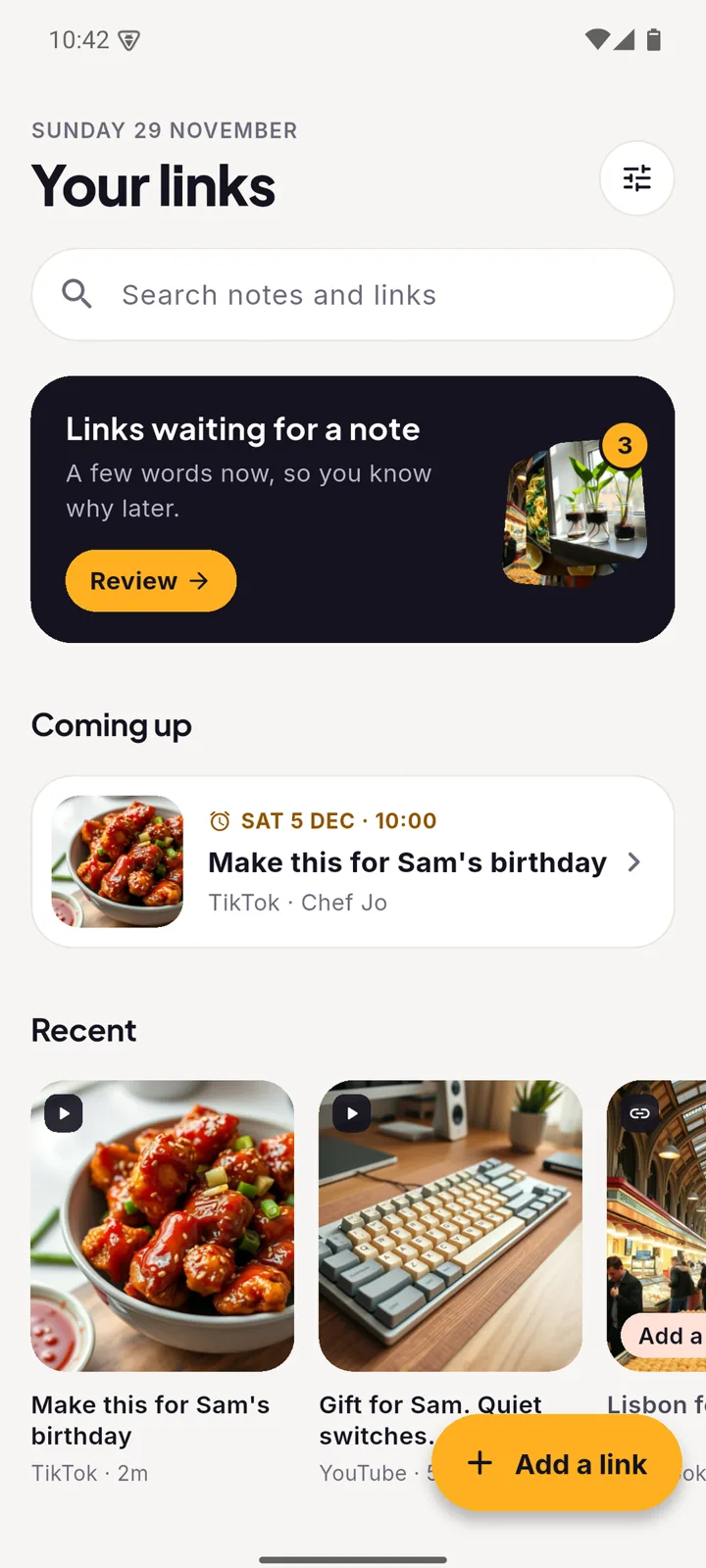
Search your notes, titles and tags. Type “birthday” and every link you saved for one appears, wherever you filed it.
Everything you saved, and why.
Links waiting for a note, reminders coming up, and collections that show only what's left to do.
Your links never leave your phone.
There's no account to create and nothing about you to sell, so there's no reason to watch you.
- No account, no server
- Links, notes and collections are stored on your device. There is no NotedLinks server to send them to.
- No ads, analytics or trackers
- The app contains no advertising or analytics code of any kind.
- Works offline
- The only network request looks up a page's title, straight from that site. Turn it off in Settings and nothing leaves your phone.
- Yours to take with you
- Back up every link to your phone, Google Drive or OneDrive, and restore on a new phone.
Questions
Which apps can I save from?
Any app with a Share button that shares a web link, including YouTube, TikTok, Instagram, Facebook, Reddit, X, LinkedIn, Pinterest and every browser.
Do I have to write a note every time?
No. Tap Later and the link is saved without one. It waits under “Links waiting for a note” until you have a moment.
Do I need an account?
No. NotedLinks works as soon as you install it, and everything is stored on your phone.
Does it work on tablets and foldables?
Yes. On larger screens collections show more columns, and a link's photo sits beside its note.
Can I get my links out?
Yes. Settings → Back up links saves one file with every link, note, tag, collection and reminder. Settings → Restore from backup brings it back on any phone.